
You probably already know that Apple came out with their iPhone OS4 update. The addition of several different features has got me ranting and raving about the iPhone again!
So much so that I’ve forgot how bad AT&T’s service is… just recently the service went from being spectacular to being sub-par… Did AT&T knock down a tower near me? — WHAT GIVES!?
Sorry.. on with the iPhone OS4 features and stuff…
My Favorite Updates & Additions on OS4
Here is a list of my favorite updates for the new iPhone operating system.
Spell Check
Everything has spell check now, which for me, someone who only scored 500 on the verbal SAT, is a BIG DEAL!
Threaded Email
Email conversations that have the same subject line are threaded together, much like Gmail… awesome.
Photo Gallery Shows Where You Took The Picture
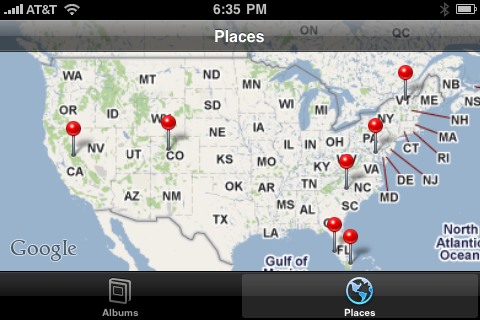 Are you kidding me with this? by far the coolest update.
Now when you take a picture with your iPhone, it tags where you are geographically – and then shows you all your pictures on a map.
I think this is extremely neat, and somewhat useful too.
I’m showing off to friends and family.. Look where I’ve been!
Wondering if the it will work internationally too.. anyone know?
Multi Task With Pandora
You know Pandora, the program that plays similar music to an artist or song that you put in? I love Pandora.
It used to be that when you leave the Pandora application on your iPhone, the music would stop. So if you got an email or text you want to reply to, you’d have to lose your music to do so.
Now, with the new iPhone OS4 upgrade – You can Pandora and text, email, or even Facebook!
This is my 2nd favorite feature added on OS4 behind the photo gallery geography thing.
Set Your Background
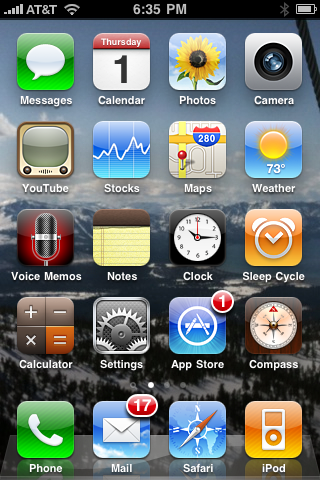
A simple update that allows your background or wallpaper to show once you’re in your iPhone. It used to only show on the welcome (or locked) screen.
Search Text Messages
I personally don’t text message enough to make this one that useful, but it’s definitely cool that you can now search your text messages.
So that’s it – those are my favorite additions and features of the iPhone OS4 update — what do you think?